Workday Student
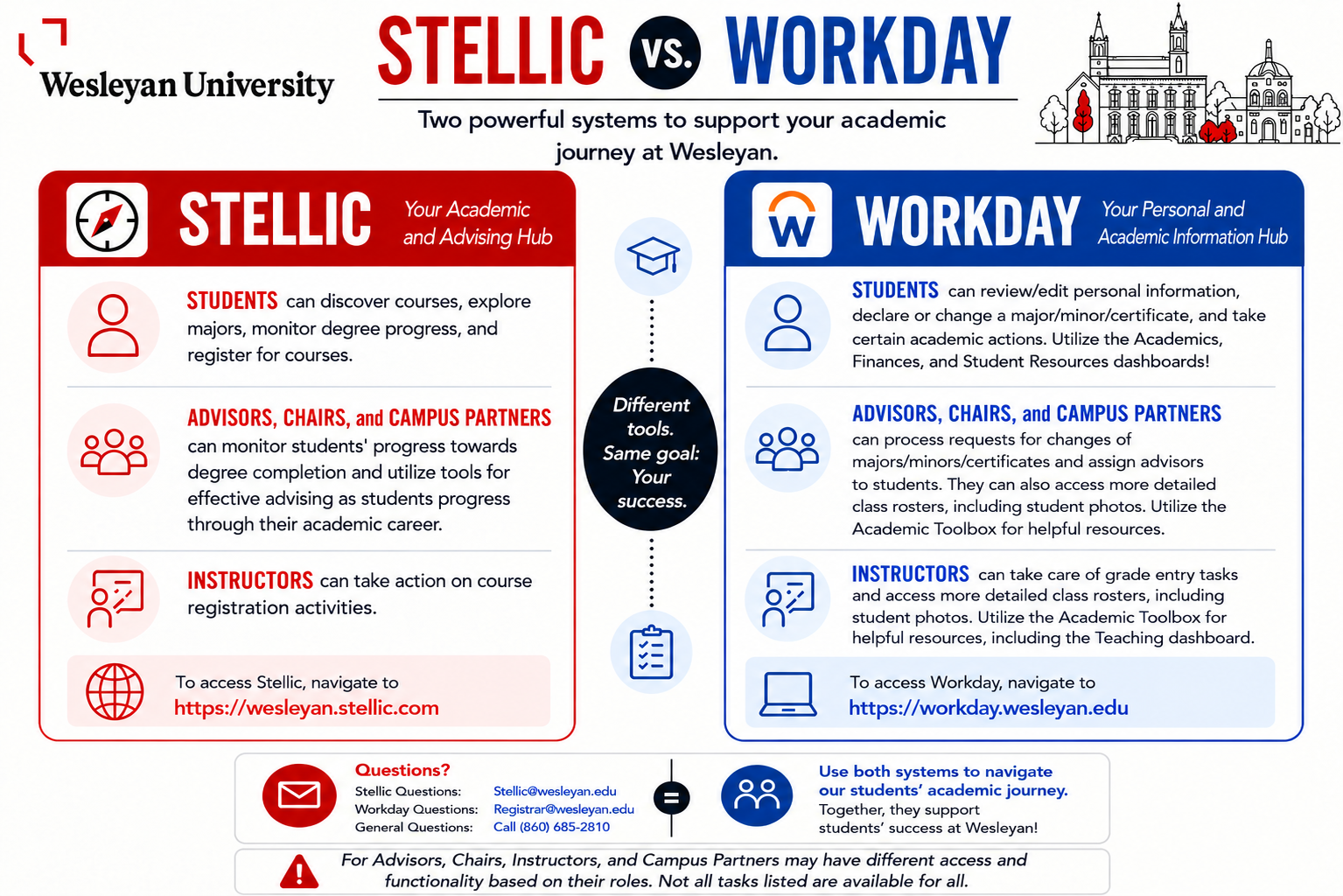
As of fall 2026, we've implemented a new student information system, Workday Student, and expanded our use of Stellic to include registration functionality.
- To login to Workday, you can click on the briefcase icon from your WesPortal or navigate directly to Workday.
- Navigate to our Stellic page for more information about the academic and advising hub!
- For those that attended one of the Workday/Stellic Trainings, please check out the FAQ from Training resource.
Student Onboarding
Every fall and spring semester, students are required to complete a series of onboarding tasks to confirm their student information and review important policies. These are quick tasks that must be completed in Workday before registering for classes in the upcoming semester. New students will be required to complete these tasks when they are first accepted to Wesleyan.
Changing the Grading Mode for a Student Option Graded Course
For students enrolled in a course available for either A-F (standard letter grading) or Cr/U (credit/unsatisfactory), they may choose their preferred grading mode via Workday through the grading mode change deadline, as posted in the Academic Calendar.
Withdrawing from a Course
If a student needs to withdraw from a course after the add/drop deadline, they must submit a request to withdraw from a course via Workday by the withdrawal deadline, as posted in the Academic Calendar.
A withdrawal might impact your financial aid, satisfactory academic progress, and expected graduation date. Ensure that this is intentional. Once approved, you will receive a W on your academic record.
Viewing your Academic Record and Class Schedule in Workday
Students can view and print their academic record directly from Workday. The academic record report includes completed coursework. Students may also view their current classes in Workday.